[ ](https://git.lurenaud.com/lurenaud/VolvoRTI)
# VolvoRTI — Android Auto Retrofit for Volvo RTI
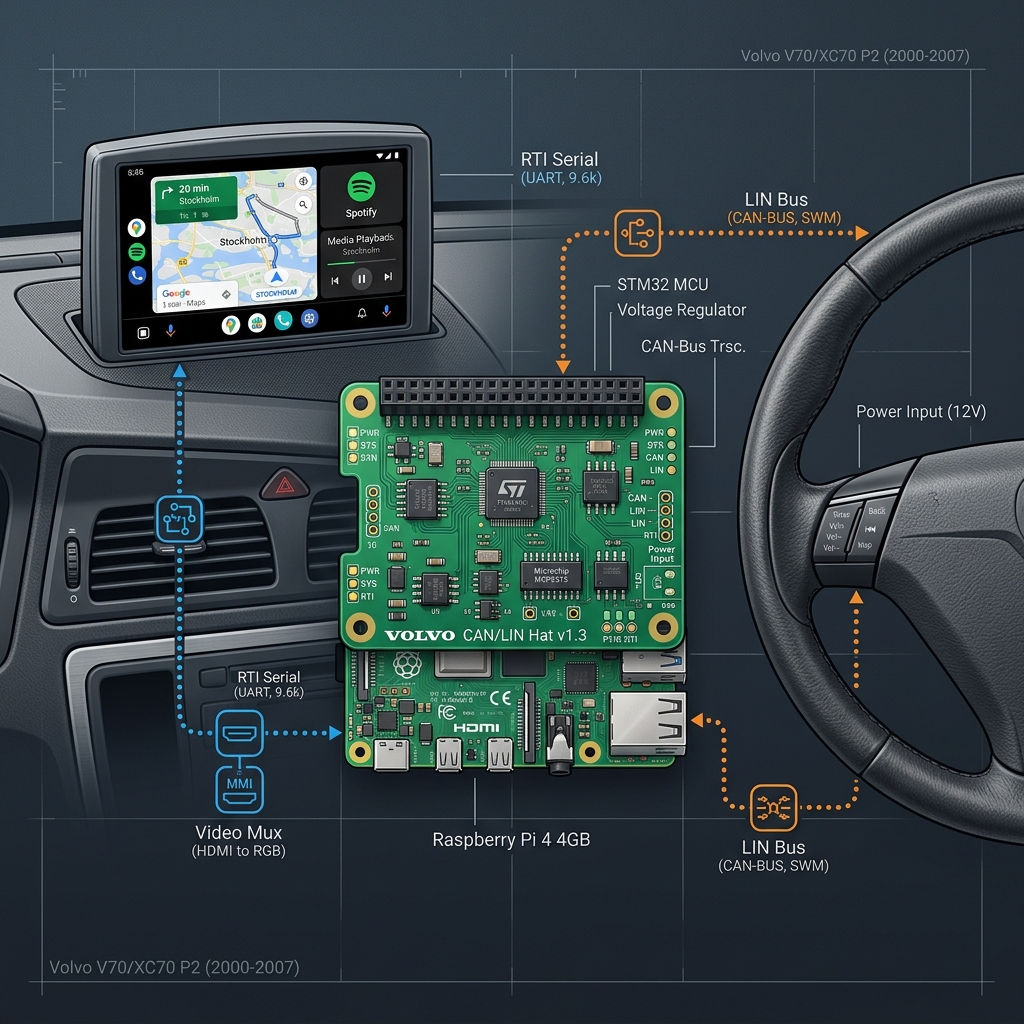
An integrated Android Auto retrofit system for the retracting Volvo Road and Traffic Information (RTI) navigation screen. Using a Raspberry Pi 4, custom microcontrollers, custom PCB routing, and 3D-printed mechanical enclosures, this project replaces the legacy navigation unit with a modern infotainment hub running LineageOS (Android).
> [!WARNING]
> **Status:** This setup faces display quality limitations when driving the original Volvo LCD screen directly due to its low resolution (typically 400x234). Replacing the internal screen panel with a high-resolution LCD while retaining the retractable motor housing is highly recommended.
---
## 🛠️ System Architecture
The retrofit consists of two key layers working in unison: the **ATtiny84 Controller** (vehicle bus decoding + screen motor control) and the **core computer** (Raspberry Pi 4 running Android).
```mermaid
graph TD
%% Vehicles Inputs
SWM[Steering Wheel Module - LIN Bus] -- "LIN Frame ID 0x20" --> ATtiny[ATtiny84 Controller]
CEM[Central Electronic Module - LIN] -- "LIN Keep-Alive Ping" --> ATtiny
%% ATtiny Processing & Control
ATtiny -- "RC-6 MCE IR Protocol (Bit-banged)" --> Pi_IR[Raspberry Pi GPIO 24 / IR Input]
ATtiny -- "2400 Baud Serial Control" --> Screen[Volvo RTI Retractable Screen]
%% Pi Processing
subgraph Raspberry Pi 4 [Raspberry Pi 4 - LineageOS]
Pi_IR --> KM[KeyMapper / Input Dispatcher]
KM -- "Volume Up Trigger > 5s LIN Idle" --> SD[OS Shutdown Command]
Hotspot[Init Services] -- "Auto-start on Boot" --> AP[Wi-Fi AP: VolvoC70_AndroidAuto]
end
%% Video Routing
Pi_Video[Raspberry Pi HDMI] -- "HDMI Video Signal" --> Screen
classDef hardware fill:#f9f,stroke:#333,stroke-width:2px;
classDef software fill:#bbf,stroke:#333,stroke-width:2px;
class SWM,CEM,ATtiny,Screen hardware;
class KM,SD,Hotspot,AP software;
```
---
## 📁 Repository Structure
* 📁 **`Arduino/`**: Microcontroller firmware written for the Arduino ecosystem.
* `LIN_to_IR/`: The unified controller firmware. Decodes Steering Wheel Module (SWM) buttons from the LIN bus, outputs RC-6 Mode 6A IR commands to control Android, and drives the Volvo screen motor serial interface (automatic opening/closing, toggle, and car power state detection).
* `RTI_Control/`: Legacy screen-only driver firmware (retains original standalone serial protocol testing logic).
* `IR_remote_test/`: Test firmware for verifying RC-6 IR signal generation.
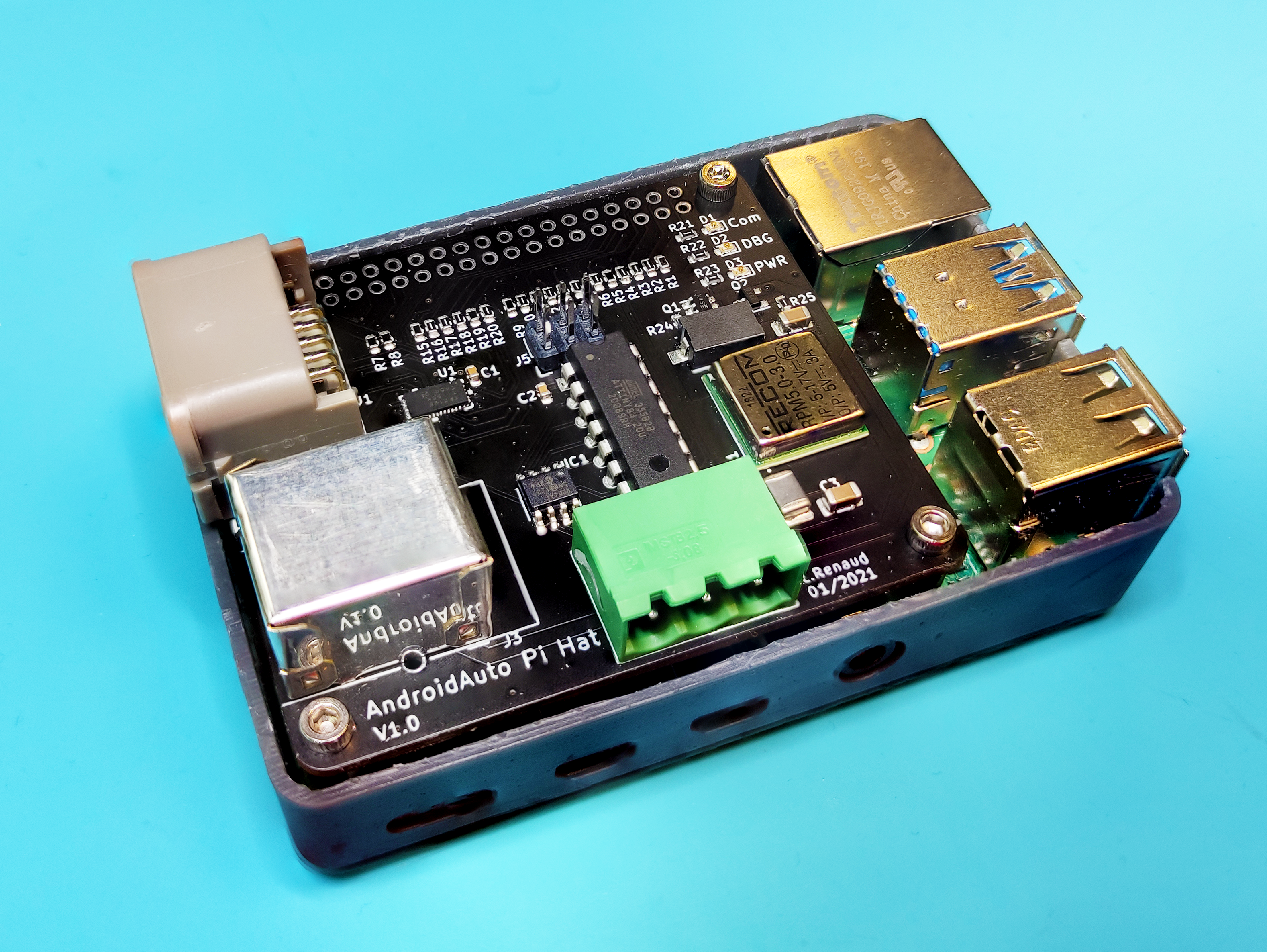
* 📁 **`Kicad/`**: Schematic, PCB layout, footprints, and Gerber files for a custom Raspberry Pi shield hosting the MCP2004 LIN transceiver, video routing, and power control.
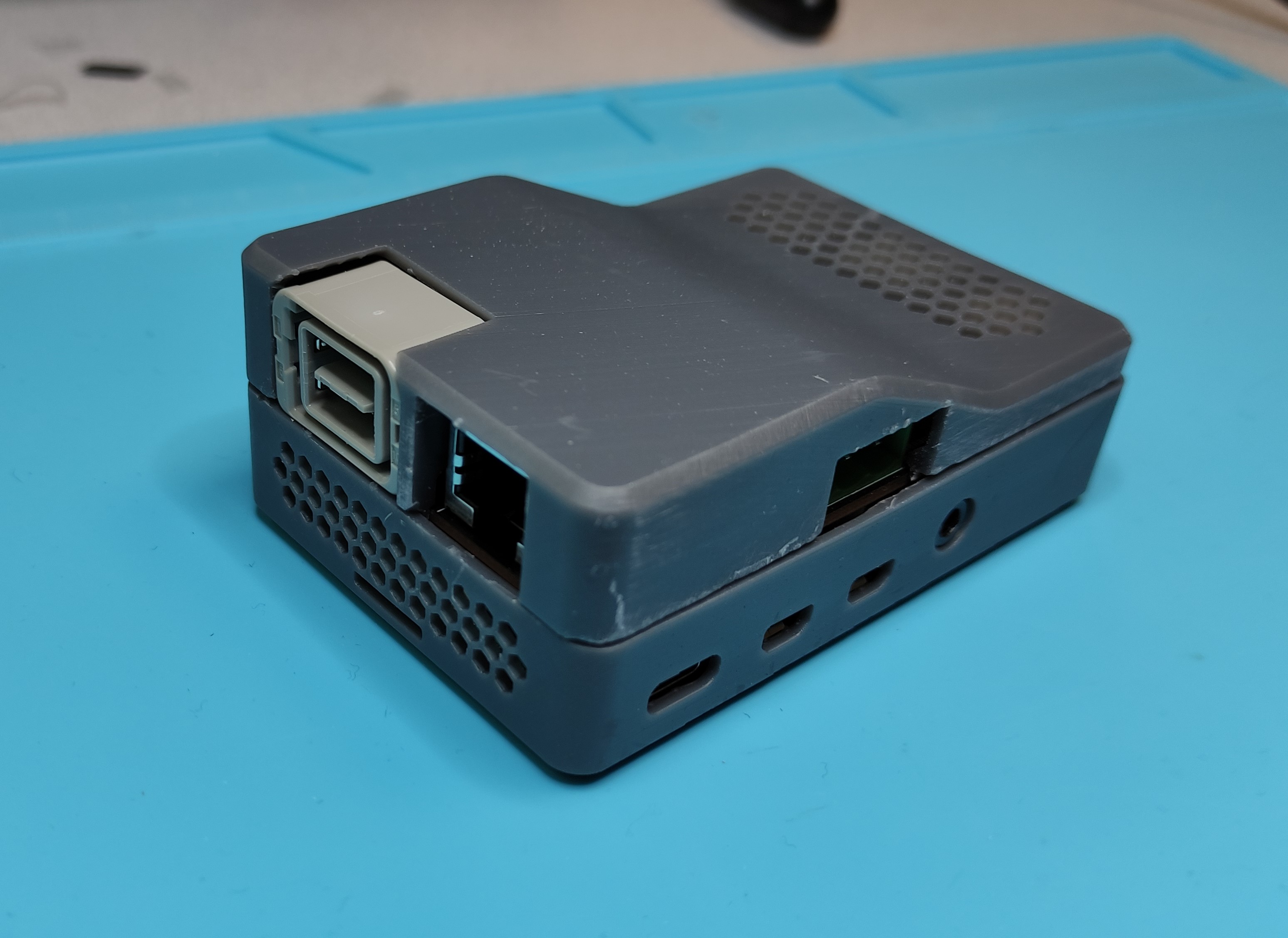
* 📁 **`CAD/`**: SolidWorks 3D CAD design files (`.SLDASM`, `.SLDPRT`) and 3D-printable `.STL` files for the custom mechanical Pi enclosure (`case_top` & `case_bottom`).
* 📁 **`Raspberry/`**: Configuration scripts and mapping files for LineageOS/Android, including custom `ir-keytable` mappings and key event hooks.
* 📁 **`Photos/`**: High-quality hardware builds, installation logs, and system diagrams.
---
## ⚙️ Detailed Module Breakdown
### 1. Steering & Screen Integration (`Arduino/LIN_to_IR`)
The **ATtiny84** is the central hardware coordinator. It decodes steering wheel buttons from the LIN bus (`0x20`), controls the screen's extension motor via serial commands, and signals the Raspberry Pi using IR commands.
#### Core Behaviors & Logic
* **Startup Extension**: The screen automatically opens upon startup (ignition on).
* **Manual Screen Toggle**: Pressing **BACK + ENTER** at the same time toggles the screen between fully open and fully closed states.
* **Manual Sleep Command**: Pressing **RIGHT + ENTER** at the same time sends a Volume Down IR command to put the Raspberry Pi to sleep.
* **Smart Power-down (Car-Off Detection)**: The ATtiny monitors LIN traffic. If no LIN communication is detected for **5 seconds**, the system automatically retracts the screen and sends a Volume Up IR command 3 times to trigger a clean Raspberry Pi OS shutdown.
#### Button Map & Command Codes
When buttons are pressed, the ATtiny transmits the corresponding Microsoft MCE remote scancodes:
| Input / Combo | LIN Frame Trigger | Active Button Code | MCE Scancode | Action on LineageOS / Hardware |
| :--- | :--- | :--- | :--- | :--- |
| **UP** | `d0 & 0x01` | `1` | `0x800f041e` | Navigate Up |
| **DOWN** | `d0 & 0x02` | `2` | `0x800f041f` | Navigate Down |
| **LEFT** | `d0 & 0x04` | `3` | `0x800f0420` | Navigate Left |
| **RIGHT** | `d0 & 0x08` | `4` | `0x800f0421` | Navigate Right |
| **ENTER** | `d1 & 0x08` | `5` | `0x800f0422` | Select / OK |
| **BACK** | `d1 & 0x01` | `6` | `0x800f0423` | Back / Exit |
| **Volume Up (Shutdown)** | LIN Silent > 5s | `7` | `0x800f0410` | Trigger Soft Shutdown |
| **BACK + ENTER** | Both buttons held | `8` | *None (Local)* | Toggles Screen Motor (Open/Close) |
| **RIGHT + ENTER** | Both buttons held | `9` | `0x800f0411` | Send Sleep / Volume Down |
---
### 2. Retractable Screen Serial Driver
The Volvo RTI screen housing requires continuous serial packets at **2400 baud** over a single communication line to stay awake and raised.
* **Display ON sequence**: `0x4C` (NTSC), `0x2F` (max brightness), `0x83` (execute).
* **Display OFF sequence**: `0x46` (OFF), `0x00` (min brightness), `0x83` (execute).
* **Keep-Alive Periodicity**: The ATtiny84 continuously writes these 3-byte command packets at a non-blocking 100ms interval (one byte every 100ms) to ensure smooth operation without blocking LIN bus reception.
---
### 3. Raspberry Pi Customization (`Raspberry`)
#### Key Event Remapping
To receive the direct-wired IR signal from the ATtiny, the Pi utilizes `ir-keytable` with a custom mapping profile:
* **Configuration File**: [`Raspberry/rc-rc6-mce.toml`](Raspberry/rc-rc6-mce.toml)
* **Command KeyMapper Setup**:
```bash
# Enable accessibility service for KeyMapper
adb shell settings put secure accessibility_enabled 1
adb shell settings put secure enabled_accessibility_services io.github.sds100.keymapper/.system.accessibility.MyAccessibilityService
# Map the Volume Up trigger to execute:
reboot -p
```
#### Wi-Fi Hotspot Auto-start at Boot
To establish wireless Android Auto on boot, a custom init script starts the Wi-Fi hotspot automatically on startup:
* **Boot script** (`/system/bin/start_hotspot.sh`):
```sh
#!/system/bin/sh
while [ "$(getprop sys.boot_completed)" != "1" ]; do
sleep 1
done
sleep 5
cmd wifi start-softap VolvoC70_AndroidAuto wpa2 123456789
```
* **Init configuration** (`/system/etc/init/start_hotspot.rc`):
```rc
service start_hotspot /system/bin/sh /system/bin/start_hotspot.sh
class main
user root
group root system wifi
oneshot
disabled
on property:sys.boot_completed=1
start start_hotspot
```
---
## 📷 Gallery & Renderings
### System Overview Diagram
### Prototype Hardware
](https://git.lurenaud.com/lurenaud/VolvoRTI)
# VolvoRTI — Android Auto Retrofit for Volvo RTI
An integrated Android Auto retrofit system for the retracting Volvo Road and Traffic Information (RTI) navigation screen. Using a Raspberry Pi 4, custom microcontrollers, custom PCB routing, and 3D-printed mechanical enclosures, this project replaces the legacy navigation unit with a modern infotainment hub running LineageOS (Android).
> [!WARNING]
> **Status:** This setup faces display quality limitations when driving the original Volvo LCD screen directly due to its low resolution (typically 400x234). Replacing the internal screen panel with a high-resolution LCD while retaining the retractable motor housing is highly recommended.
---
## 🛠️ System Architecture
The retrofit consists of two key layers working in unison: the **ATtiny84 Controller** (vehicle bus decoding + screen motor control) and the **core computer** (Raspberry Pi 4 running Android).
```mermaid
graph TD
%% Vehicles Inputs
SWM[Steering Wheel Module - LIN Bus] -- "LIN Frame ID 0x20" --> ATtiny[ATtiny84 Controller]
CEM[Central Electronic Module - LIN] -- "LIN Keep-Alive Ping" --> ATtiny
%% ATtiny Processing & Control
ATtiny -- "RC-6 MCE IR Protocol (Bit-banged)" --> Pi_IR[Raspberry Pi GPIO 24 / IR Input]
ATtiny -- "2400 Baud Serial Control" --> Screen[Volvo RTI Retractable Screen]
%% Pi Processing
subgraph Raspberry Pi 4 [Raspberry Pi 4 - LineageOS]
Pi_IR --> KM[KeyMapper / Input Dispatcher]
KM -- "Volume Up Trigger > 5s LIN Idle" --> SD[OS Shutdown Command]
Hotspot[Init Services] -- "Auto-start on Boot" --> AP[Wi-Fi AP: VolvoC70_AndroidAuto]
end
%% Video Routing
Pi_Video[Raspberry Pi HDMI] -- "HDMI Video Signal" --> Screen
classDef hardware fill:#f9f,stroke:#333,stroke-width:2px;
classDef software fill:#bbf,stroke:#333,stroke-width:2px;
class SWM,CEM,ATtiny,Screen hardware;
class KM,SD,Hotspot,AP software;
```
---
## 📁 Repository Structure
* 📁 **`Arduino/`**: Microcontroller firmware written for the Arduino ecosystem.
* `LIN_to_IR/`: The unified controller firmware. Decodes Steering Wheel Module (SWM) buttons from the LIN bus, outputs RC-6 Mode 6A IR commands to control Android, and drives the Volvo screen motor serial interface (automatic opening/closing, toggle, and car power state detection).
* `RTI_Control/`: Legacy screen-only driver firmware (retains original standalone serial protocol testing logic).
* `IR_remote_test/`: Test firmware for verifying RC-6 IR signal generation.
* 📁 **`Kicad/`**: Schematic, PCB layout, footprints, and Gerber files for a custom Raspberry Pi shield hosting the MCP2004 LIN transceiver, video routing, and power control.
* 📁 **`CAD/`**: SolidWorks 3D CAD design files (`.SLDASM`, `.SLDPRT`) and 3D-printable `.STL` files for the custom mechanical Pi enclosure (`case_top` & `case_bottom`).
* 📁 **`Raspberry/`**: Configuration scripts and mapping files for LineageOS/Android, including custom `ir-keytable` mappings and key event hooks.
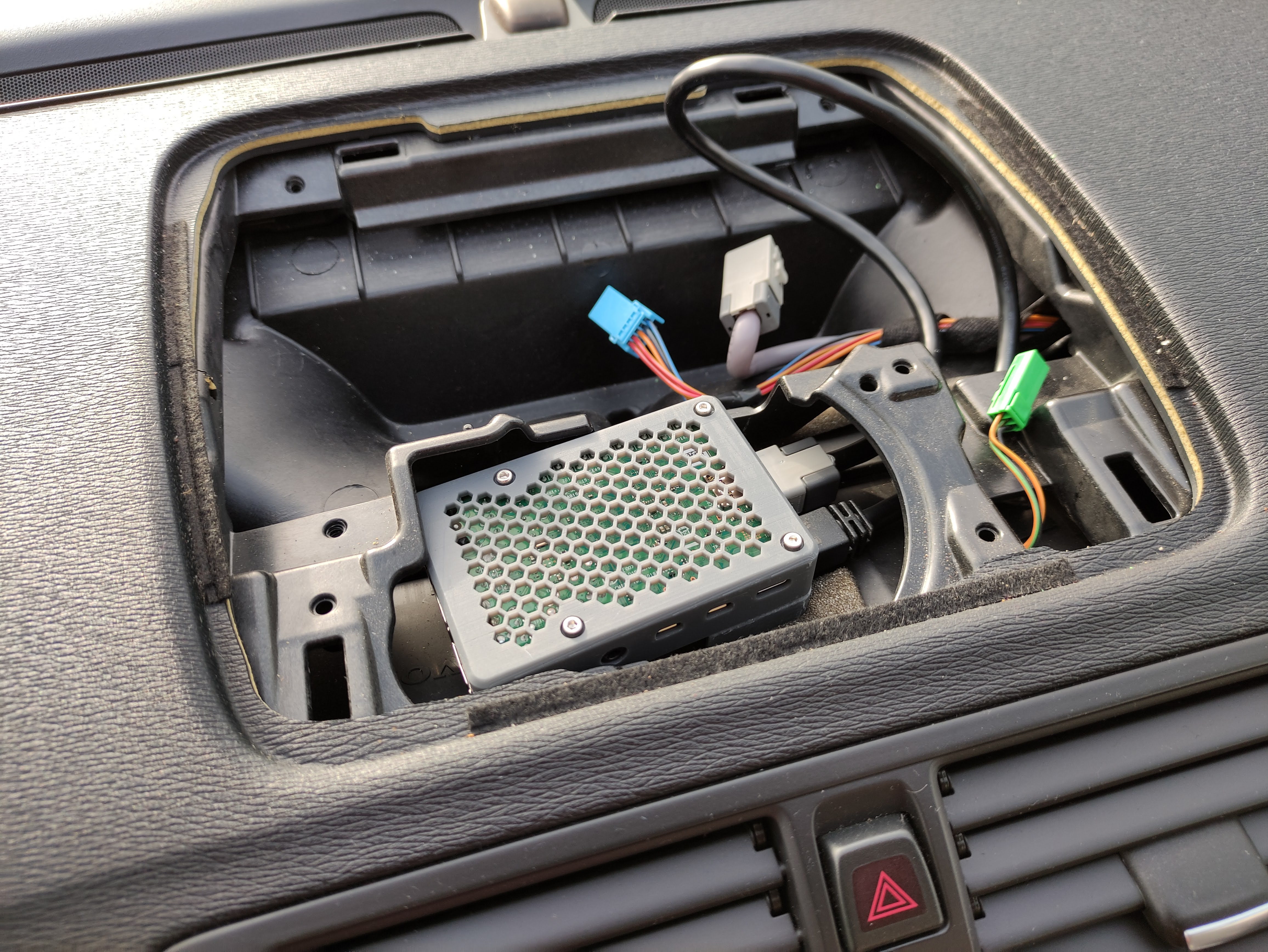
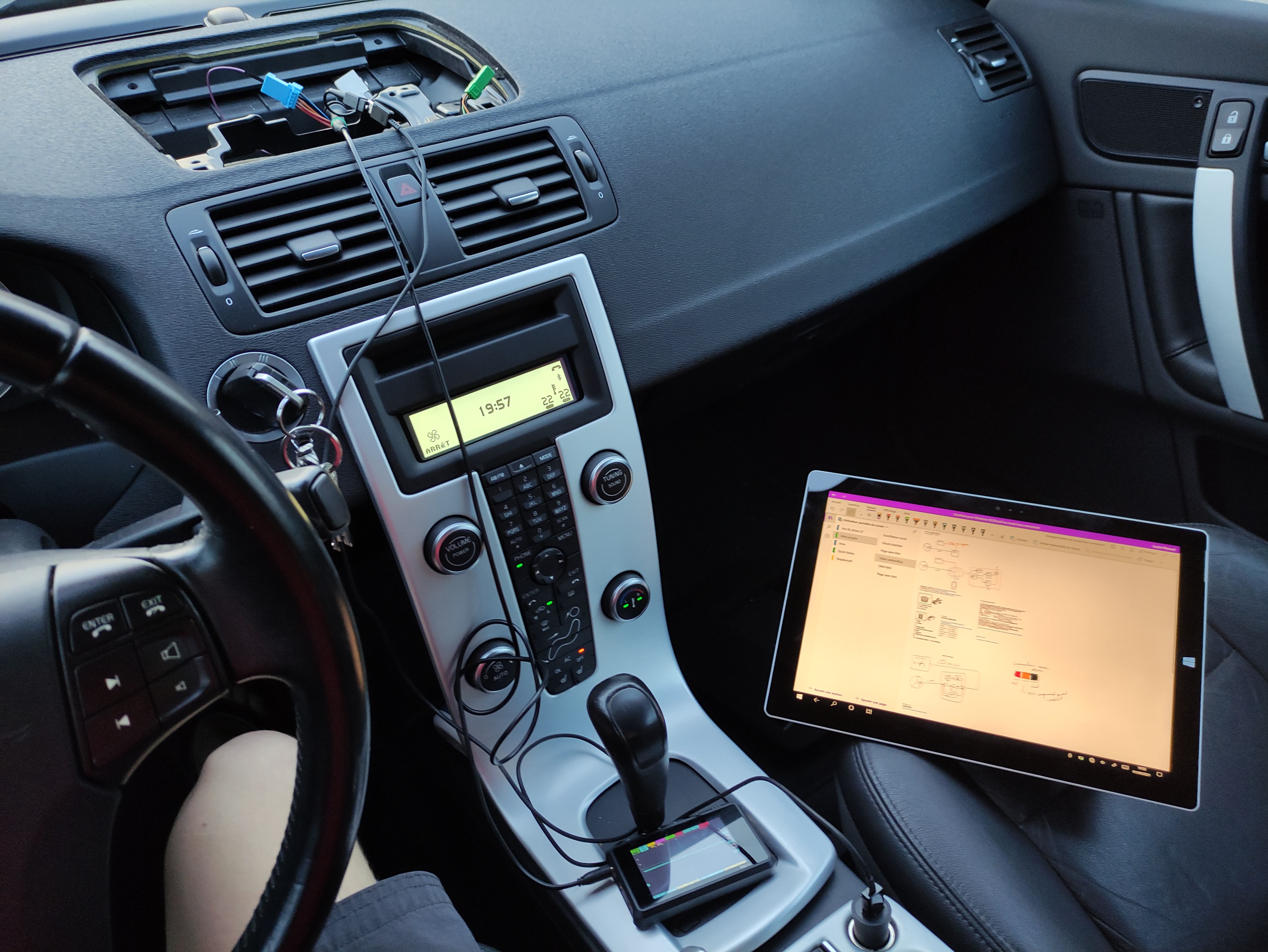
* 📁 **`Photos/`**: High-quality hardware builds, installation logs, and system diagrams.
---
## ⚙️ Detailed Module Breakdown
### 1. Steering & Screen Integration (`Arduino/LIN_to_IR`)
The **ATtiny84** is the central hardware coordinator. It decodes steering wheel buttons from the LIN bus (`0x20`), controls the screen's extension motor via serial commands, and signals the Raspberry Pi using IR commands.
#### Core Behaviors & Logic
* **Startup Extension**: The screen automatically opens upon startup (ignition on).
* **Manual Screen Toggle**: Pressing **BACK + ENTER** at the same time toggles the screen between fully open and fully closed states.
* **Manual Sleep Command**: Pressing **RIGHT + ENTER** at the same time sends a Volume Down IR command to put the Raspberry Pi to sleep.
* **Smart Power-down (Car-Off Detection)**: The ATtiny monitors LIN traffic. If no LIN communication is detected for **5 seconds**, the system automatically retracts the screen and sends a Volume Up IR command 3 times to trigger a clean Raspberry Pi OS shutdown.
#### Button Map & Command Codes
When buttons are pressed, the ATtiny transmits the corresponding Microsoft MCE remote scancodes:
| Input / Combo | LIN Frame Trigger | Active Button Code | MCE Scancode | Action on LineageOS / Hardware |
| :--- | :--- | :--- | :--- | :--- |
| **UP** | `d0 & 0x01` | `1` | `0x800f041e` | Navigate Up |
| **DOWN** | `d0 & 0x02` | `2` | `0x800f041f` | Navigate Down |
| **LEFT** | `d0 & 0x04` | `3` | `0x800f0420` | Navigate Left |
| **RIGHT** | `d0 & 0x08` | `4` | `0x800f0421` | Navigate Right |
| **ENTER** | `d1 & 0x08` | `5` | `0x800f0422` | Select / OK |
| **BACK** | `d1 & 0x01` | `6` | `0x800f0423` | Back / Exit |
| **Volume Up (Shutdown)** | LIN Silent > 5s | `7` | `0x800f0410` | Trigger Soft Shutdown |
| **BACK + ENTER** | Both buttons held | `8` | *None (Local)* | Toggles Screen Motor (Open/Close) |
| **RIGHT + ENTER** | Both buttons held | `9` | `0x800f0411` | Send Sleep / Volume Down |
---
### 2. Retractable Screen Serial Driver
The Volvo RTI screen housing requires continuous serial packets at **2400 baud** over a single communication line to stay awake and raised.
* **Display ON sequence**: `0x4C` (NTSC), `0x2F` (max brightness), `0x83` (execute).
* **Display OFF sequence**: `0x46` (OFF), `0x00` (min brightness), `0x83` (execute).
* **Keep-Alive Periodicity**: The ATtiny84 continuously writes these 3-byte command packets at a non-blocking 100ms interval (one byte every 100ms) to ensure smooth operation without blocking LIN bus reception.
---
### 3. Raspberry Pi Customization (`Raspberry`)
#### Key Event Remapping
To receive the direct-wired IR signal from the ATtiny, the Pi utilizes `ir-keytable` with a custom mapping profile:
* **Configuration File**: [`Raspberry/rc-rc6-mce.toml`](Raspberry/rc-rc6-mce.toml)
* **Command KeyMapper Setup**:
```bash
# Enable accessibility service for KeyMapper
adb shell settings put secure accessibility_enabled 1
adb shell settings put secure enabled_accessibility_services io.github.sds100.keymapper/.system.accessibility.MyAccessibilityService
# Map the Volume Up trigger to execute:
reboot -p
```
#### Wi-Fi Hotspot Auto-start at Boot
To establish wireless Android Auto on boot, a custom init script starts the Wi-Fi hotspot automatically on startup:
* **Boot script** (`/system/bin/start_hotspot.sh`):
```sh
#!/system/bin/sh
while [ "$(getprop sys.boot_completed)" != "1" ]; do
sleep 1
done
sleep 5
cmd wifi start-softap VolvoC70_AndroidAuto wpa2 123456789
```
* **Init configuration** (`/system/etc/init/start_hotspot.rc`):
```rc
service start_hotspot /system/bin/sh /system/bin/start_hotspot.sh
class main
user root
group root system wifi
oneshot
disabled
on property:sys.boot_completed=1
start start_hotspot
```
---
## 📷 Gallery & Renderings
### System Overview Diagram

### Prototype Hardware